
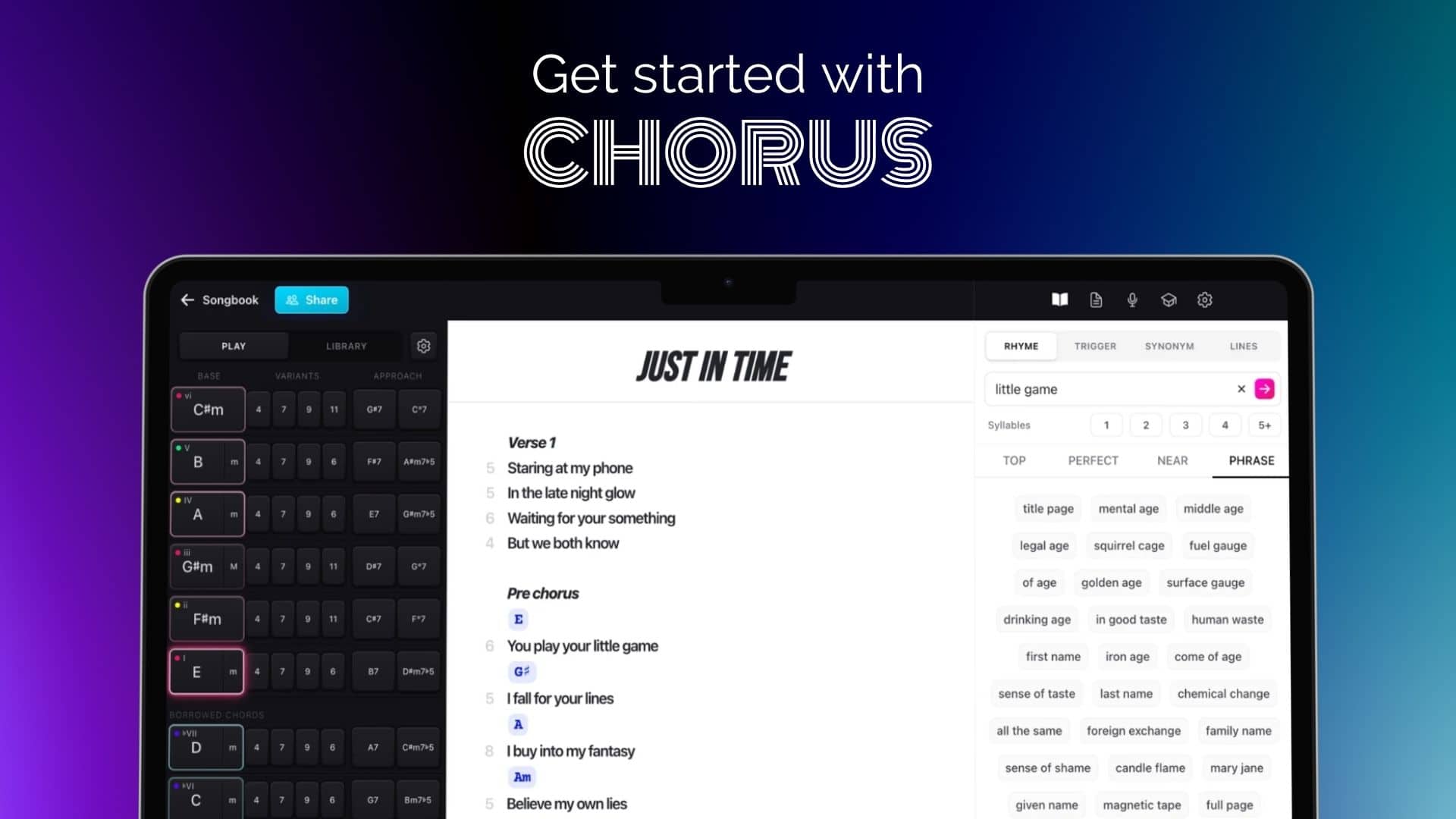
Getting started with Chorus
By Will Hicks
Chorus is packed with features to help you write the best songs you've ever written. Here we give you a quick rundown of how each feature of Chorus can help your songwriting.
Lyric sheet – focus on your lyrics
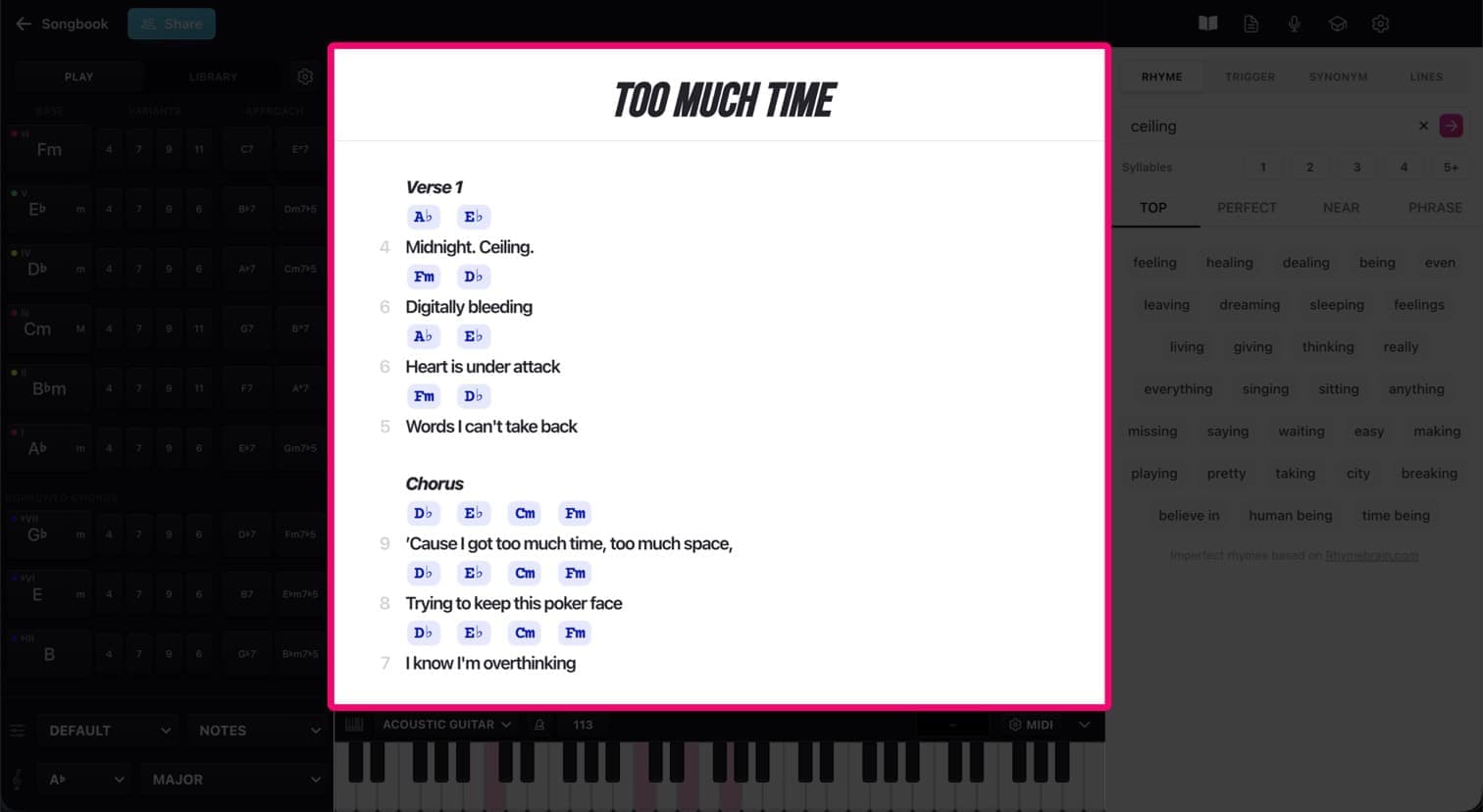
Here's where you write your song's lyrics. We keep it as simple as possible and keep it free from distractions.
Down the left-hand side is your syllable count, which helps when you have a rhythmic structure you want to stick to.
You can type chords into your lyrics, and they will play with the high quality virtual instruments in Chorus.
Pro tip: If you hover over a word, you will see a popup with the top rhymes and related trigger words.
Chords – creative chords without the theory
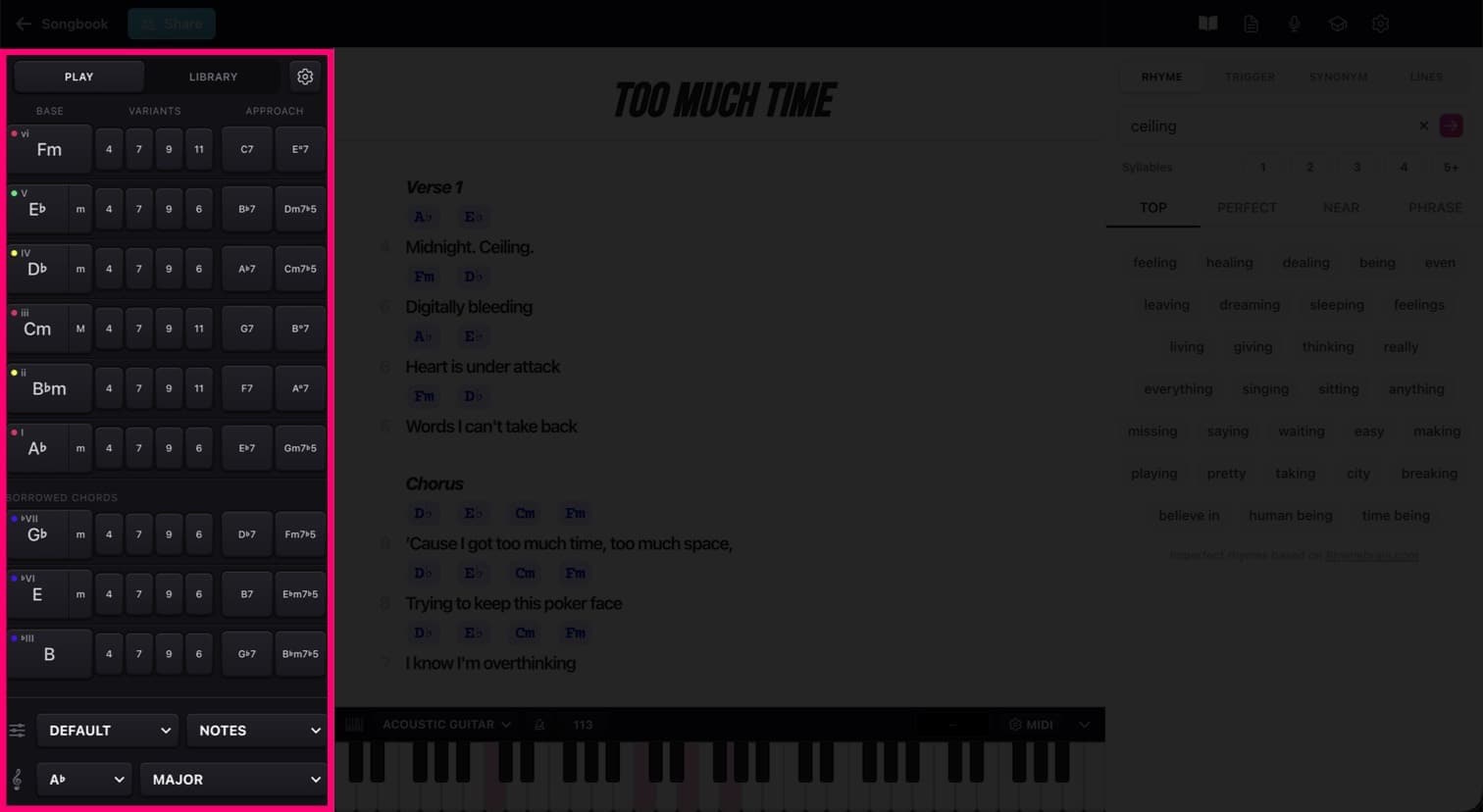
The chords panel lets you hear all the chords you're likely to need for the key of your song.
Select your root note and scale, and the chords buttons will show all the chords you would typically use in a song in that key.
You can choose which layout you like, from a simple set of chord pads for beginners to a full set of chords with extensions, borrowed chords and approach chords for more experienced writers.
You can drag chords from here onto the lyric sheet to add them to your song.
Pro tip: Use the different playback modes and voicings to get a different feel, and trigger ideas for your song's melodies.
Chords library - get started quickly
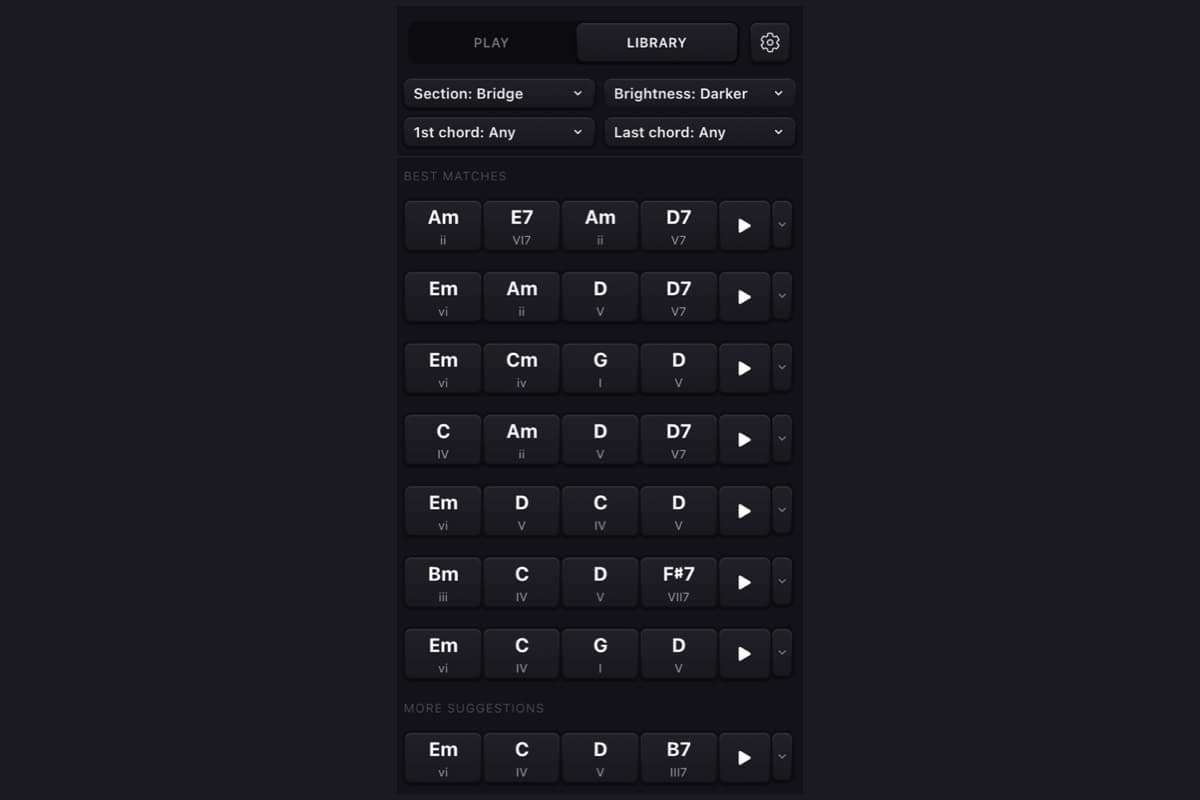
Chorus comes with a library of chord sequences that you can use to get ideas for your song.
The library brings you the most relevant ideas for your song based on the section, genre and feeling you are writing for. Listen to chord sequences by pressing the play button, and once you've found one you like, use the menu to copy and paste it into your lyric sheet.
Dictionary – near rhymes, perfect rhymes, song ideas and intelligent phrase suggestions
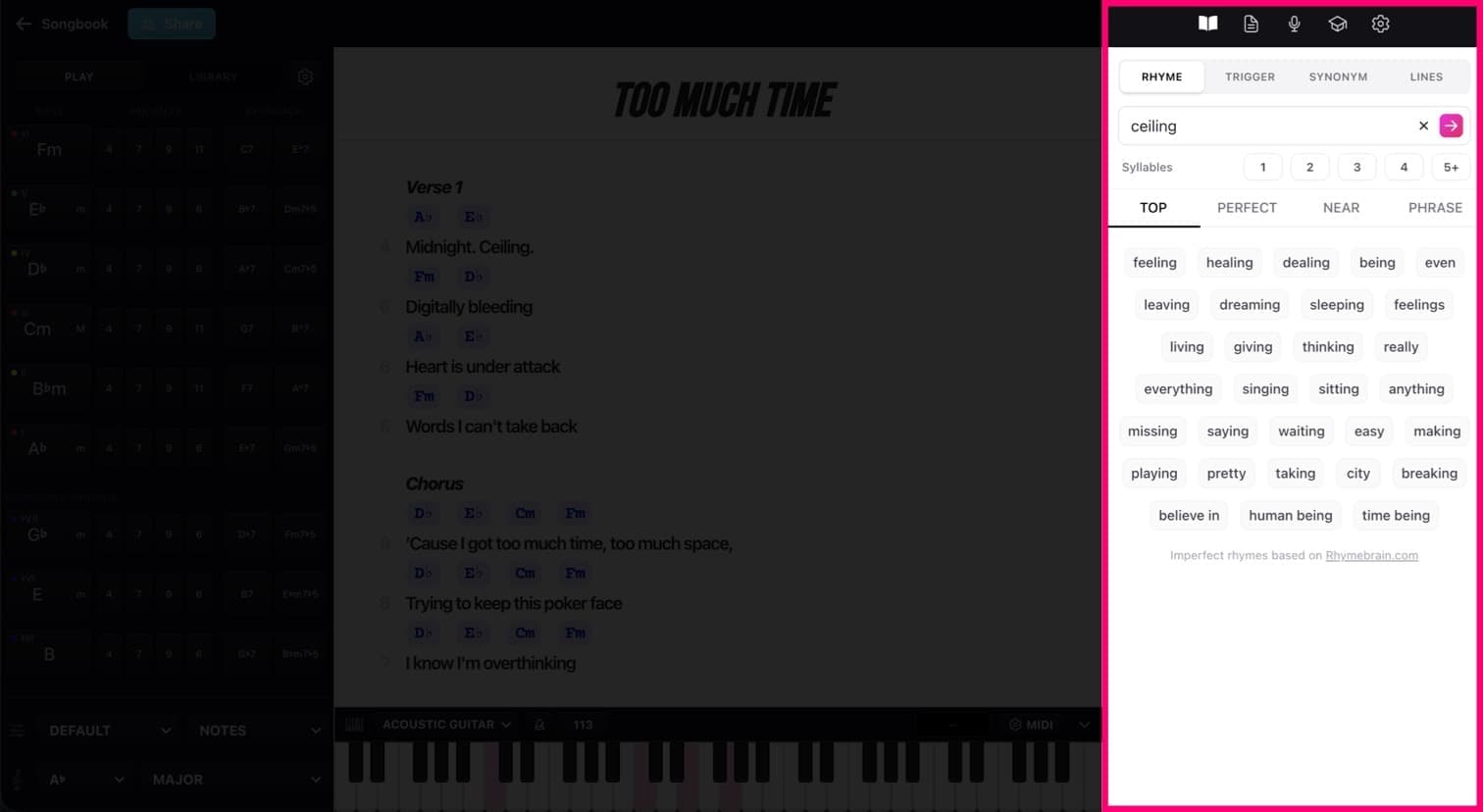
Using our professional songwriting expertise, our lyrics dictionary is without doubt the best rhyming dictionary, thesaurus and phrase generator for songwriters.
It's the lyrical powerhouse of Chorus, helping you write the most creative lyrics you've ever written. Whether you're a professional writer, you're just starting out, Chorus will help you turn your ideas into finished lyrics more quickly and creatively.
Here we'll cover them very quickly – there's a lot to discover for yourself but this should give you a good starting point.
Rhymes – near rhymes, perfect rhymes and phrase rhymes
Type the word you want to find a rhyme for, press Enter, and you'll see a list of perfect rhymes, near rhymes (sometimes called slant rhymes) and phrase rhymes. Filter the list by the number of syllables, and narrow down your search for the perfect word.
Pro tip: One mistake a lot of songwriters make is using words that are too complicated and hard to sing when a simpler, more singable word will do. Chorus helps by highlighting the singable words that fit the genre best.
Pro tip: Using perfect rhymes can make your writing sound a bit basic. Near rhymes and phrase rhymes will give a rich vocabulary and imagery to your writing, without falling into clichés.
Triggers – song ideas, and inspiration for that tricky second verse!
Give Triggers a word, and it'll give you back a list of words related to it. It's not a thesaurus that gives words that mean the same thing – the results are more conceptual. Let's look at an example:
Say we're writing a song set in Las Vegas, and we want some ideas that work for this song. Put "Vegas" into Triggers and you'll get suggestions like this:
- hotel
- paradise
- desert
- Elvis
- gamble
- casino
See how these all give you the "feeling" of Las Vegas? This song is practically going to write itself!
Pro tip: Use triggers when you're first starting your song to give you ideas related to the key themes in your song.
Synonyms - sometimes you just want a different word
The synonyms tool does exactly what you'd expect - it helps you find an alternative word. However, like everything in Chorus, we filter out the rubbish to help you find the most suitable words.
Lines – a tiny bit of AI that acts as your co-writer
The "Lines" feature uses specially crafted AI to generate lyric ideas that you can use in your songs, or just to get ideas. We know that AI in music is a hot topic, and we make sure it's used as a creative boost, not a replacement for your own creativity.
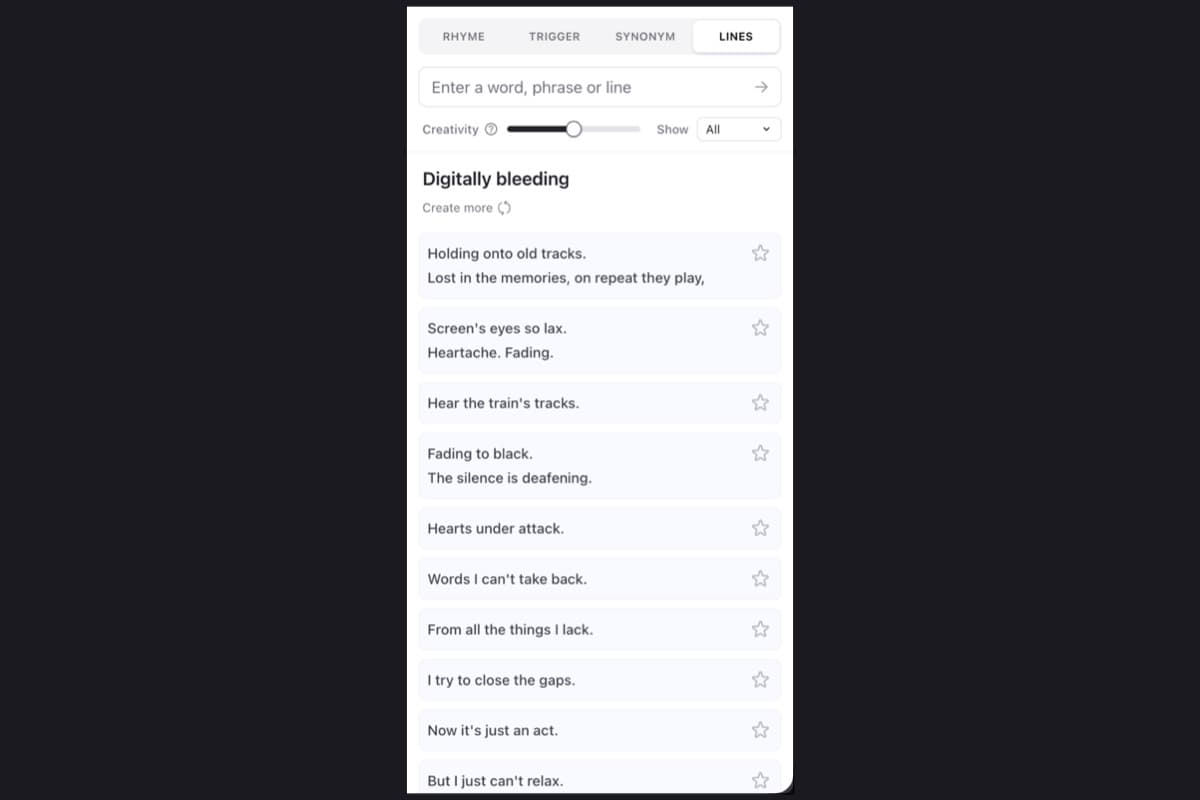
Pro tip: Try generating more than one set of lyrics and see how Genius tries different styles, even within a single genre.
Piano and virtual instruments – hear your songs come to life
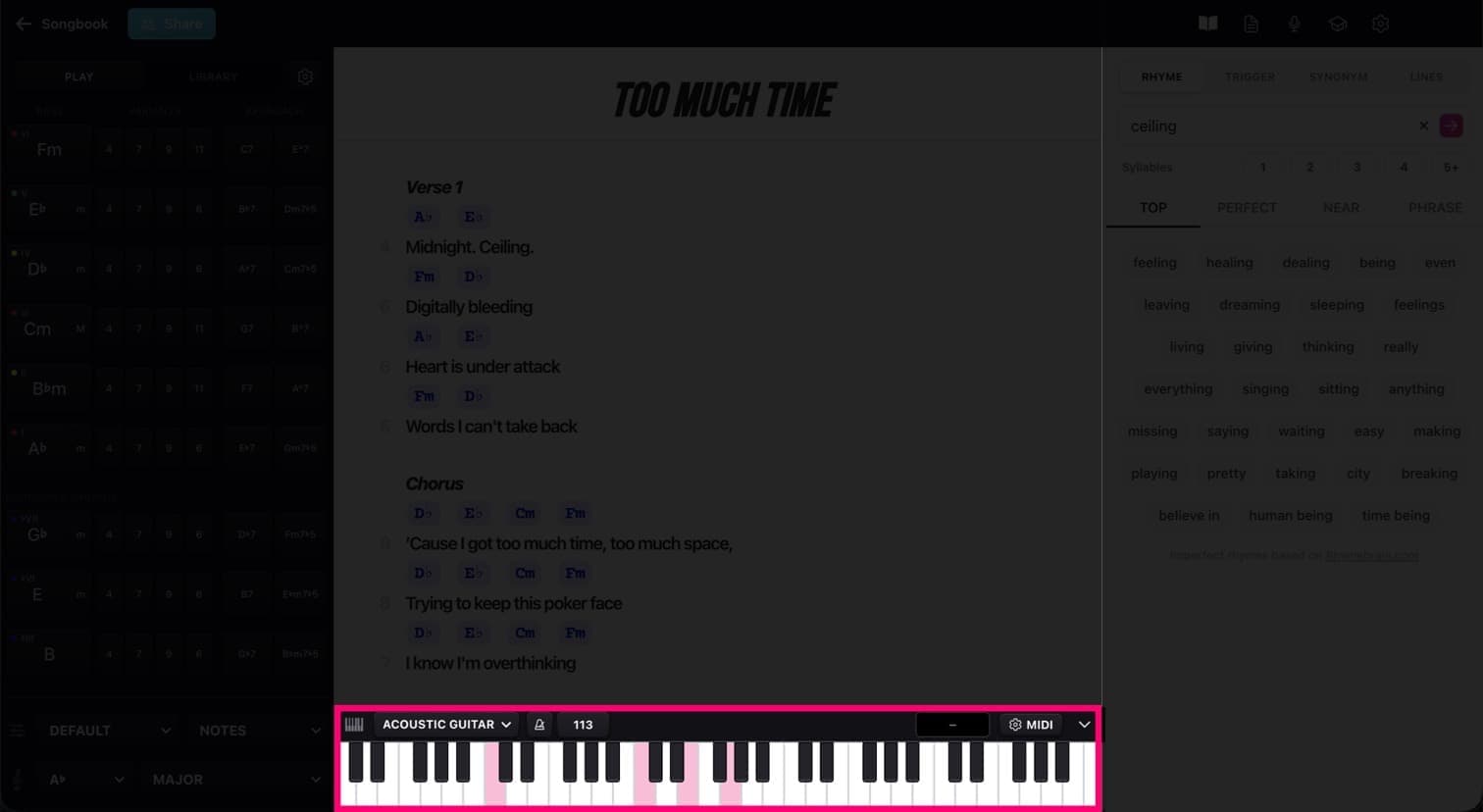
Songwriting isn't just text on a page—it's sound. Chorus includes high-quality virtual instruments so you can hear your chord progressions as you write.
You can plug in your USB or Bluetooth MIDI keyboard to play instruments, or click notes using the interactive on-screen keyboard. Hover over any chord pad or chord code in your lyrics to immediately see its exact note spellings - it'll even show the notes it's playing when using different playback modes.
Other tools – keep everything in one place
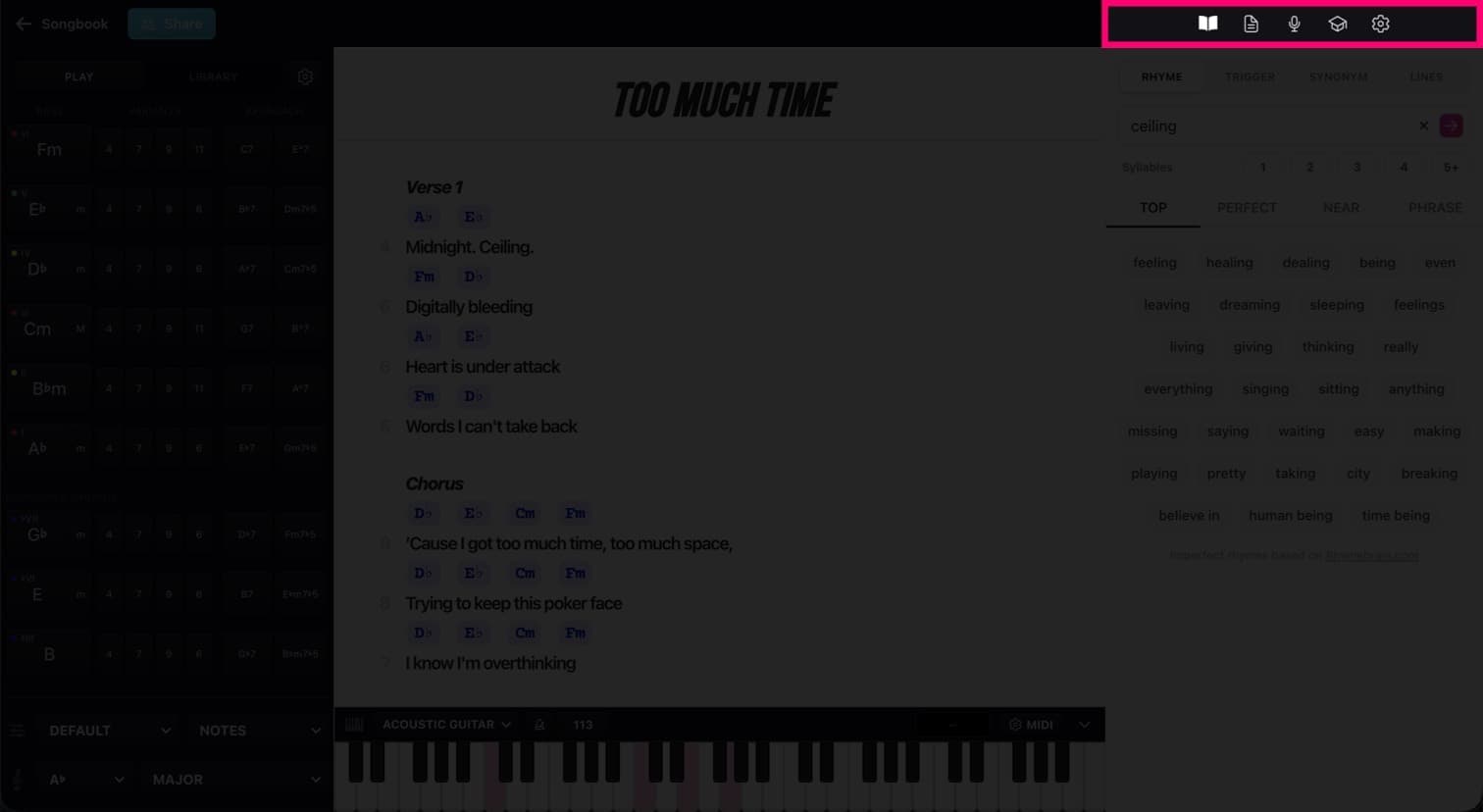
Recordings
Never lose a melody idea again. The built-in audio recorder lets you capture quick voice memos, hummed melody lines, or acoustic takes right alongside your text. Audio clips attach directly to your song document, so you don't have to wade through a cluttered phone Voice Memos app to find the right melody stem.
Notepad
Your scratchpad for raw ideas. Use the Notepad to store early draft snippets, alternate verse lines, track notes, or structural ideas without cluttering your main lyric sheet. When co-writing, everyone in the session gets their own private Notepad space to brainstorm freely.
Sharing & Collaboration
Press the Share button in the top bar to invite co-writers to join your song in real time, or share your lyrics with the world.
Collaborating in Chorus is built for real-world writing sessions.
Whether you're in the same studio or working remotely, everyone can jump on their phone, tablet, or laptop. To keep sessions clean and avoid accidental overwrites, the song owner retains control of the main lyric sheet, while co-writers can run dictionary searches, test lines, and brainstorm in their private Notepads before bringing ideas to the main song.
Sharing lets you publish your lyrics to the web, so you can share them with the world. If you've got recordings on your song, you can choose one to include on your shared lyrics, and people can listen to it right in their browser.
Ready to write?
Whether you start with a chord progression, a catchy phrase from Genius, or a quick voice memo snippet, Chorus gives you a seamless environment where music and lyrics meet.
We've published a guide on how to use all the parts of Chorus together to supercharge your songwriting process. Read all about Will's personal process here, based on his experience of working in sessions with some incredibly talented songwriters: My personal Songwriting Process – How I Write With Chorus